eAuto Fleet is passenger transport ERP software with driver management. Assign drivers from evidence — a recorded licence, a valid entitlement and recorded availability — not from assumptions about who is free.

Drivers, helpers and attendants share one people register. Each driver has licence entitlements with jurisdiction, category and expiry, and a record of availability. Readiness checks eligibility; a driver without a verified licence cannot be assigned. Assignments link the named driver to each movement.
Driver files, licence copies, expiry dates and rosters are often spread across HR folders, spreadsheets and dispatchers' memories. eAuto Fleet keeps driver profiles, licences, documents and assignments in one register, so the team can see who is eligible before a trip is committed.
Add drivers, helpers and attendants to one register.
Record licence categories, jurisdiction and expiry dates.
Record when each person is available for assignment.
Readiness rules block assignments that do not meet your requirements.
Assign eligible crew; each trip keeps the named driver.
See which movements each person was assigned to.
Check licences, eligibility and availability before a driver is assigned.

Everyone who goes out on a vehicle is on one register with role and status, so school attendants and event helpers are planned the same way as drivers.
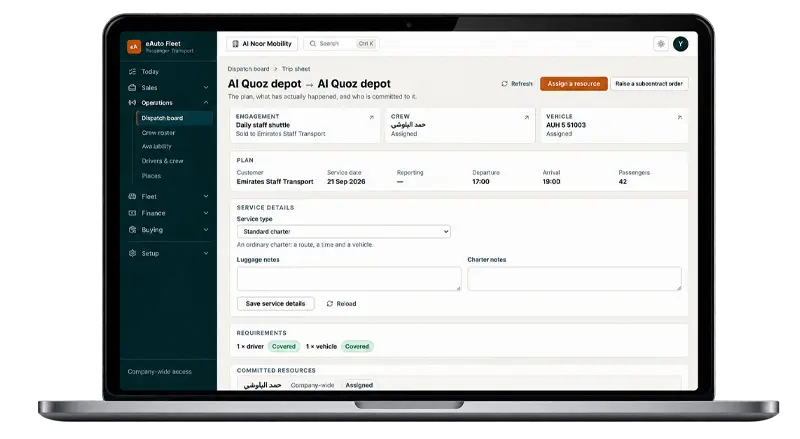
Licence entitlements record jurisdiction, category, verification and expiry. Upcoming expiries are visible ahead of time, and an expired or missing licence restricts assignment.

Each person's availability is recorded, so dispatch can see who is available before assigning work.
If a driver's licence has never been recorded, or has expired, the profile says the driver cannot go out and the dispatcher cannot assign them.

Answers about drivers, crew, licences and availability in eAuto Fleet.
GET STARTED TODAY
See how eAuto Fleet connects bookings, transport contracts, fleet operations, billing and accounting in a guided demo for your team.
In the demo we show how eligibility works using licence and document requirements like yours.

PASSENGER TRANSPORT FLEET ERP
See eAuto Fleet with a booking, contract or service model like yours, from quotation to invoice and margin.

Bring a real booking, contract or service model.

Operations, billing and accounting on one screen.

A guided walkthrough, not a sign-up.
GET STARTED TODAY
Share a few details and our team will contact you to arrange a walkthrough at a time that suits you.
